
If you own or manage a website, the term ADA compliance has probably crossed your desk more than once lately — usually attached to words like “lawsuit,” “deadline,” or “audit.” Understanding the meaning of ADA compliance is no longer optional for businesses, nonprofits, and government agencies. Digital accessibility has become a legal, ethical, and commercial priority, and the websites that get it right reach a far wider audience while sidestepping costly litigation.
At pondSoup, we’ve spent over 25 years building brands and crafting digital experiences that work for everyone. In this guide, we’ll break down what “ADA compliant” actually means, how to tell whether a website meets the standard, and the practical steps you can take to protect your business and serve every visitor.
What Does ADA Mean?
The ADA stands for the Americans with Disabilities Act, a landmark civil rights law passed in 1990 that prohibits discrimination against people with disabilities. Originally written to cover physical spaces — ramps, elevators, accessible restrooms — the law has since been interpreted by courts to extend to the digital world. In short, in the digital realm, the meaning of ADA compliance today includes websites, mobile apps, and digital documents.
When someone says a website is “ADA compliant,” they mean it has been designed and built so that people with disabilities — including those who are blind, have low vision, are deaf, or have motor or cognitive impairments — can perceive, navigate, and interact with it as effectively as anyone else.
The ADA and WCAG: How They Connect
The ADA itself doesn’t spell out technical web specifications. Instead, the recognized benchmark is the Web Content Accessibility Guidelines (WCAG), maintained by the World Wide Web Consortium (W3C). The current legal standard is WCAG 2.1 Level AA. In April 2024, the U.S. Department of Justice finalized a rule under ADA Title II that explicitly requires state and local government websites to meet WCAG 2.1 AA — the first time the federal government named a specific technical standard for digital accessibility.
You can review the official guidelines directly at the W3C Web Accessibility Initiative, and read the law itself on the official ADA.gov website.
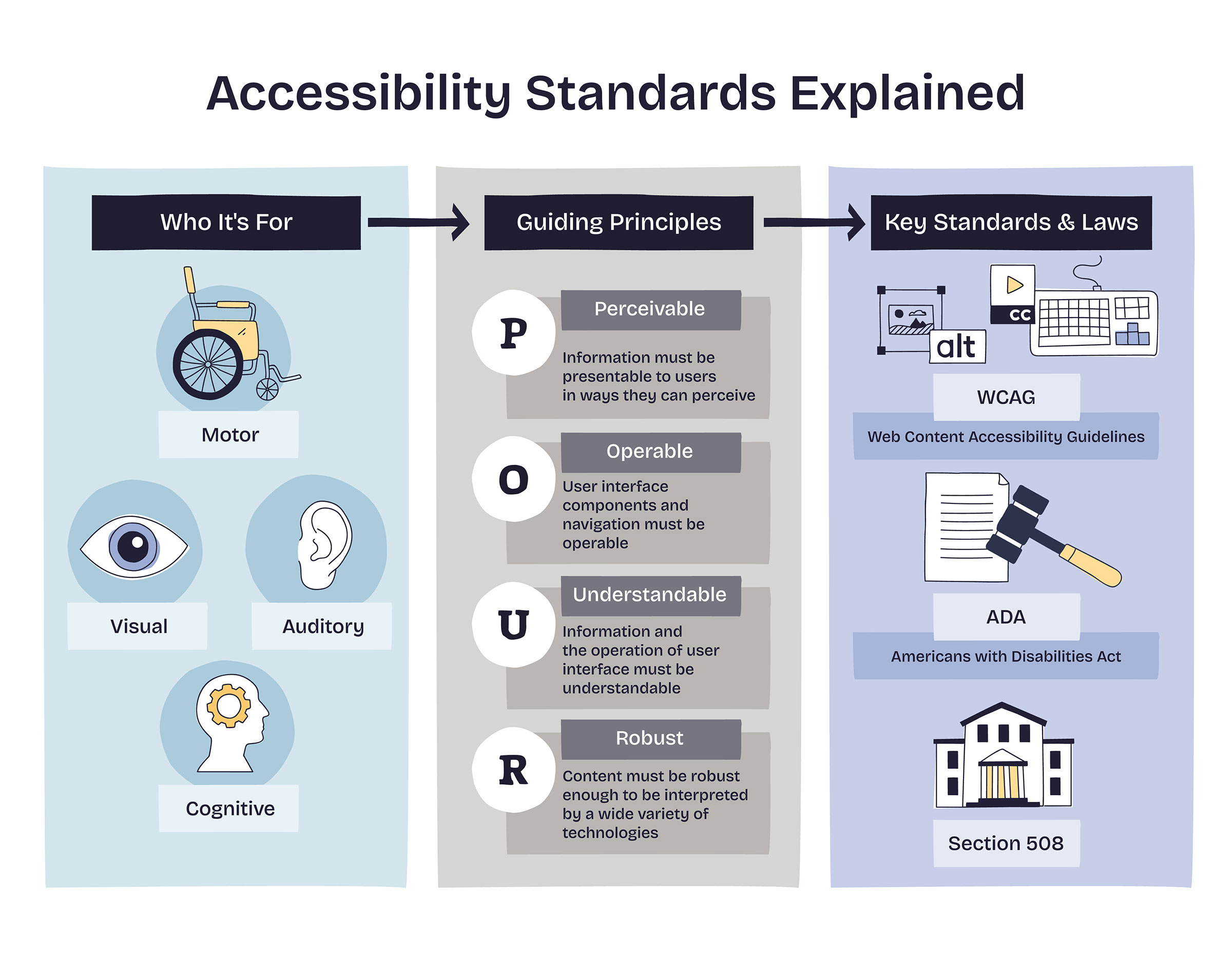
How the ADA and WCAG Work Together
The ADA doesn't provide a technical checklist for building websites. Instead, accessibility professionals follow the Web Content Accessibility Guidelines (WCAG), developed by the World Wide Web Consortium (W3C).
Today, WCAG 2.1 Level AA is widely recognized as the standard for accessible websites. In 2024, the U.S. Department of Justice formally adopted WCAG 2.1 AA for state and local government websites under Title II of the ADA, reinforcing what has already become the industry standard for digital accessibility.
Whether you're building a brand-new website or improving an existing one, WCAG provides the framework for creating experiences that are accessible to the widest possible audience.
What Makes a Website ADA Compliant?
Accessibility touches nearly every part of a website, from design and development to the way content is written and maintained.
Some of the most common accessibility features include:
- Alternative text that describes images for screen readers
- Keyboard navigation that allows every page and feature to be used without a mouse
- Clear headings that organize content logically
- Sufficient color contrast between text and backgrounds
- Forms with descriptive labels and helpful error messages
- Captions and transcripts for multimedia content
- Clean, semantic code that works well with assistive technology
Together, these improvements create a website that's easier to navigate for everyone—not just visitors with disabilities.

A Simple Example
Imagine you're filling out a contact form and every field is clearly labeled. You know exactly where to enter your name, email address, and message.
Now imagine using that same form with a screen reader, but none of the fields have labels. Instead of hearing "First Name" or "Email Address," the screen reader announces only "edit field" over and over again. Completing the form becomes frustrating, and many users simply leave the site.
Adding proper labels, instructions, and keyboard support makes the experience usable for everyone. Small improvements like these often have the biggest impact on accessibility.
How to Check If Your Website Is ADA Compliant
There isn't an official certification that declares a website fully ADA compliant, but there are several reliable ways to evaluate accessibility.
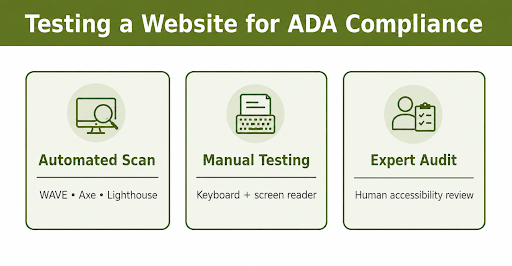
Start with Automated Testing
Accessibility tools such as WAVE, axe DevTools, and Google's Lighthouse can quickly identify common issues like missing alternative text, low color contrast, or improperly labeled forms.
Automated scans are valuable because they provide a fast snapshot of your website's health and help identify obvious issues early.
Perform Manual Testing
Some accessibility issues can only be found by using the website the way your visitors do.
Navigate your website using only the keyboard. Increase your browser's zoom to 200 percent. Test pages with a screen reader like VoiceOver or NVDA. These simple exercises often reveal navigation problems, confusing layouts, or content that automated tools don't recognize.
Schedule a Professional Accessibility Audit
A comprehensive accessibility audit combines automated testing with manual review by experienced accessibility professionals.
At pondsoup, we review websites the same way real users experience them. Our audits identify accessibility barriers, explain why they matter, and provide practical recommendations for resolving them. The result is a clear roadmap that helps organizations improve accessibility while supporting long-term compliance.
Who Should Have an Accessible Website?
Accessibility benefits organizations of every size, but it's especially important for:
- State and local government agencies
- Healthcare providers
- Educational institutions
- Retail and e-commerce businesses
- Hospitality and tourism companies
- Financial institutions
- Professional service firms
- Nonprofit organizations
Any organization that serves the public online benefits from making its website accessible.
Why Accessibility Matters
Accessibility reaches far beyond legal compliance.
An accessible website welcomes a larger audience, improves the overall user experience, supports search engine optimization, and demonstrates a commitment to serving every visitor equally.
Many accessibility improvements also make websites easier to use on mobile devices, in bright sunlight, on slower internet connections, and for visitors whose abilities change over time.
Accessibility is simply part of building a high-quality website.
Building Accessibility Into Every Project
The most successful accessibility projects begin long before launch.
Accessibility should be considered during planning, design, development, content creation, and ongoing maintenance. New images need meaningful alternative text. Videos should include captions. Forms should remain accessible as new features are added. Regular testing helps ensure accessibility remains part of the website as it grows.
Making accessibility part of your process creates better results than treating it as a one-time project.